A landscaping website that changes with the seasons.
Your customers want different things in April and in November. Design a home page for each season once, and your site moves to the next one on the dates you choose, every year.
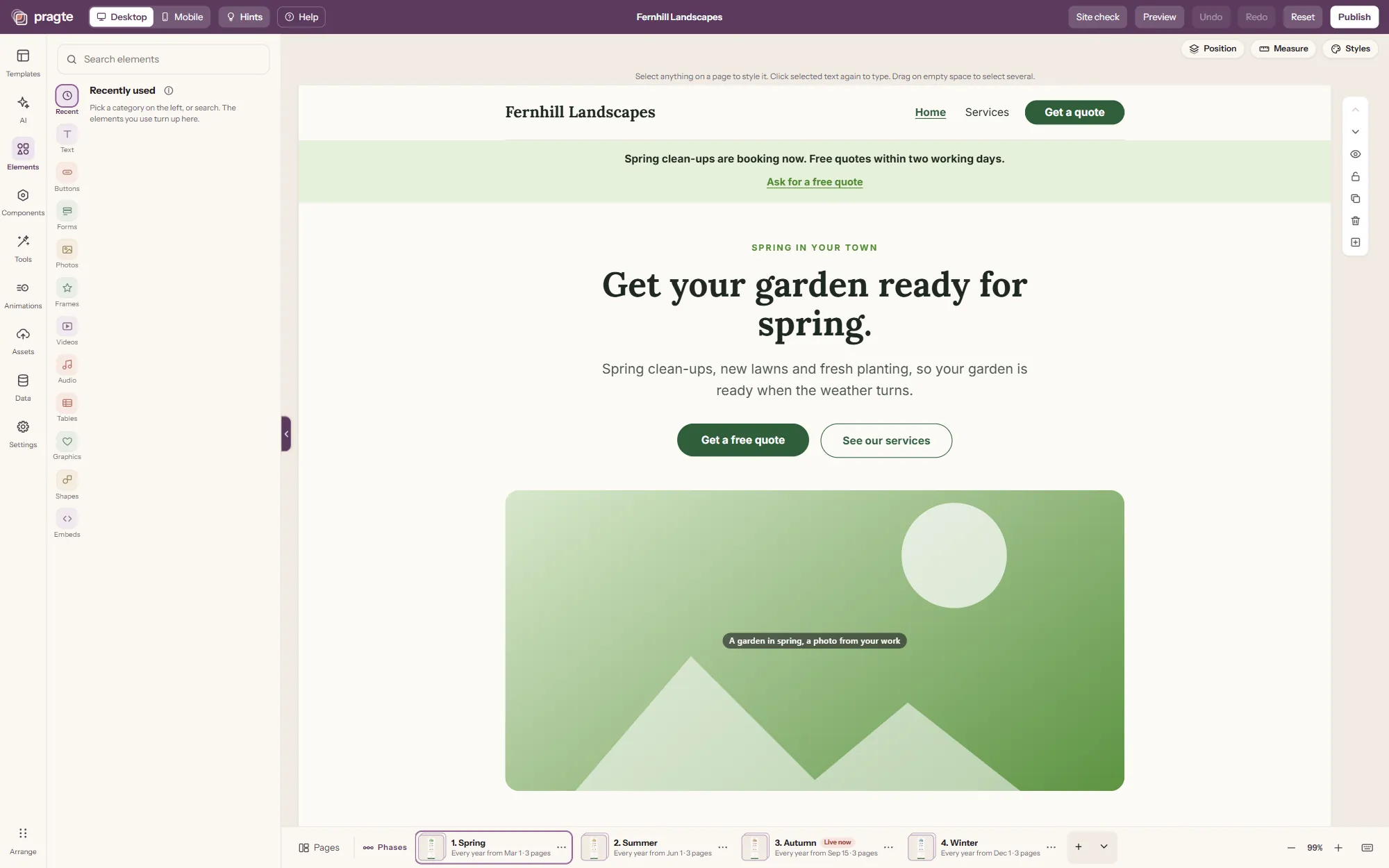
Same link. A different site each season.
This is the Fernhill template on a phone, through one year. The business, the reviews and the questions stay the same. The colour, the line at the top and the services you lead with follow the season.
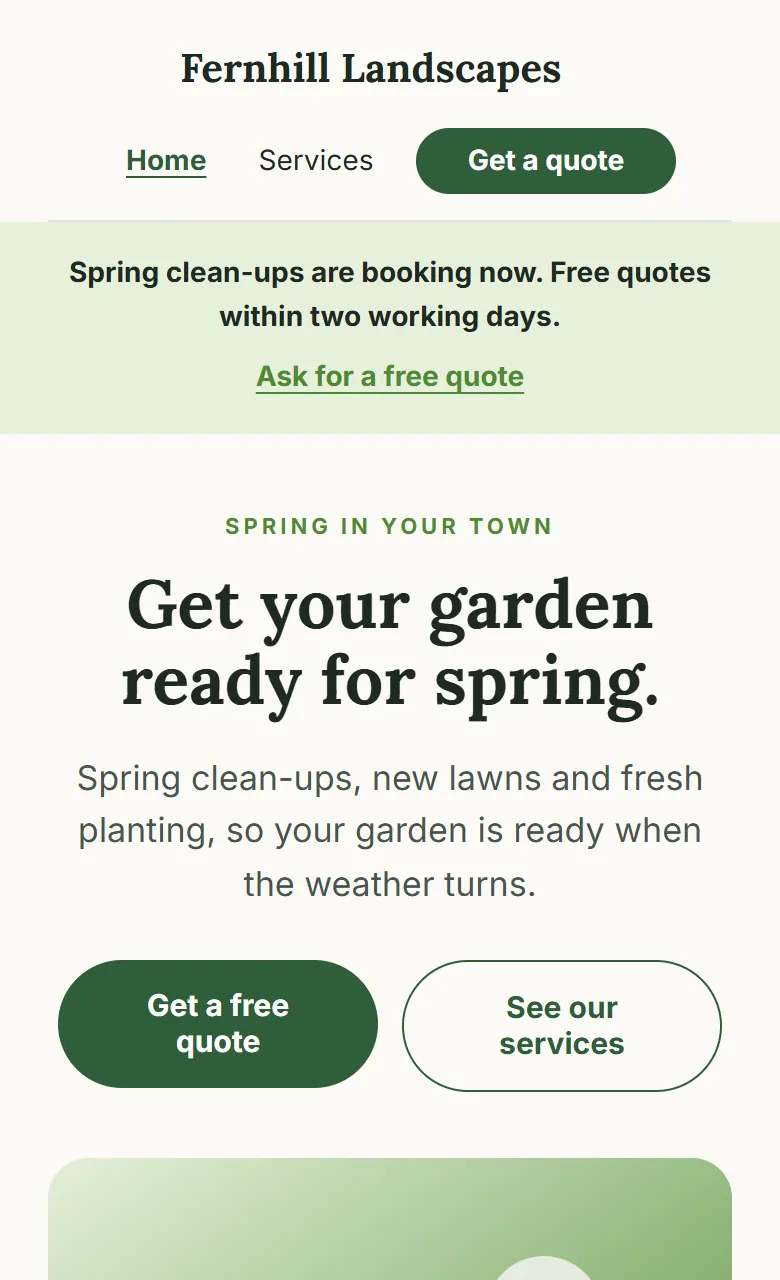
Spring
From March 1
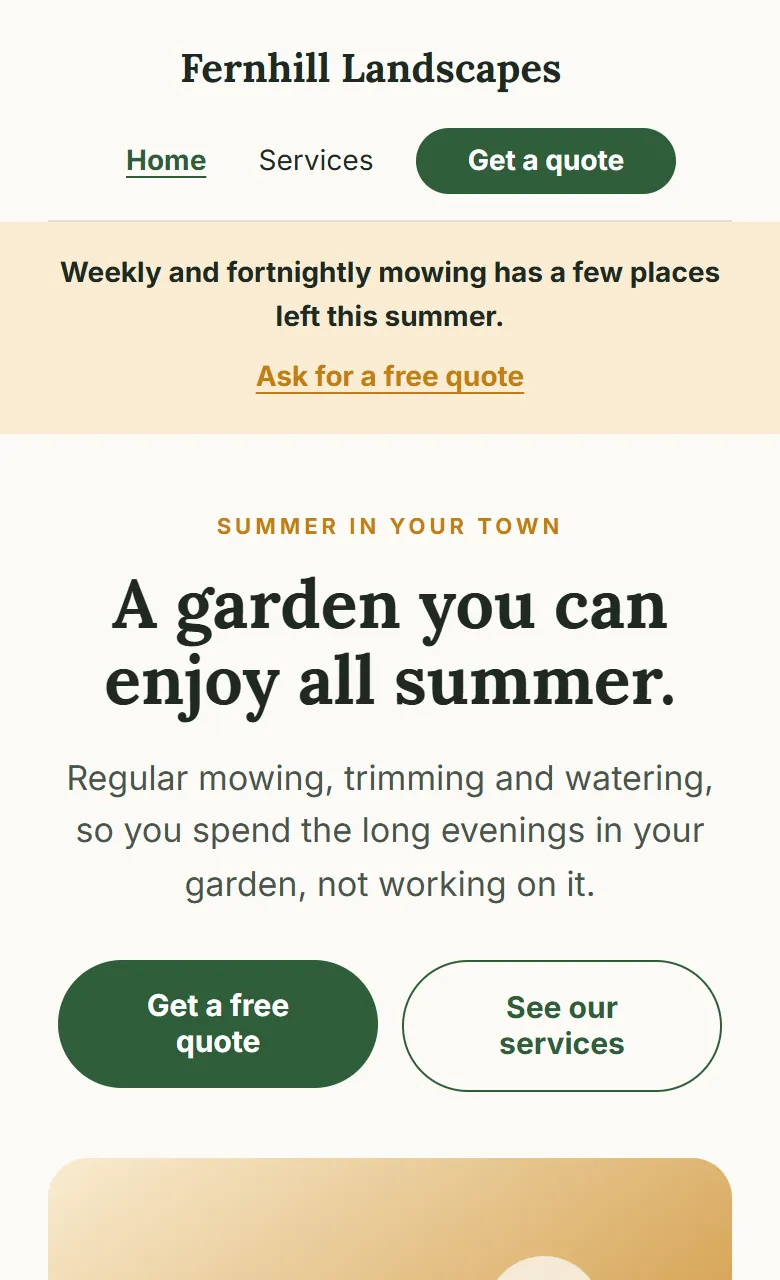
Summer
From June 1
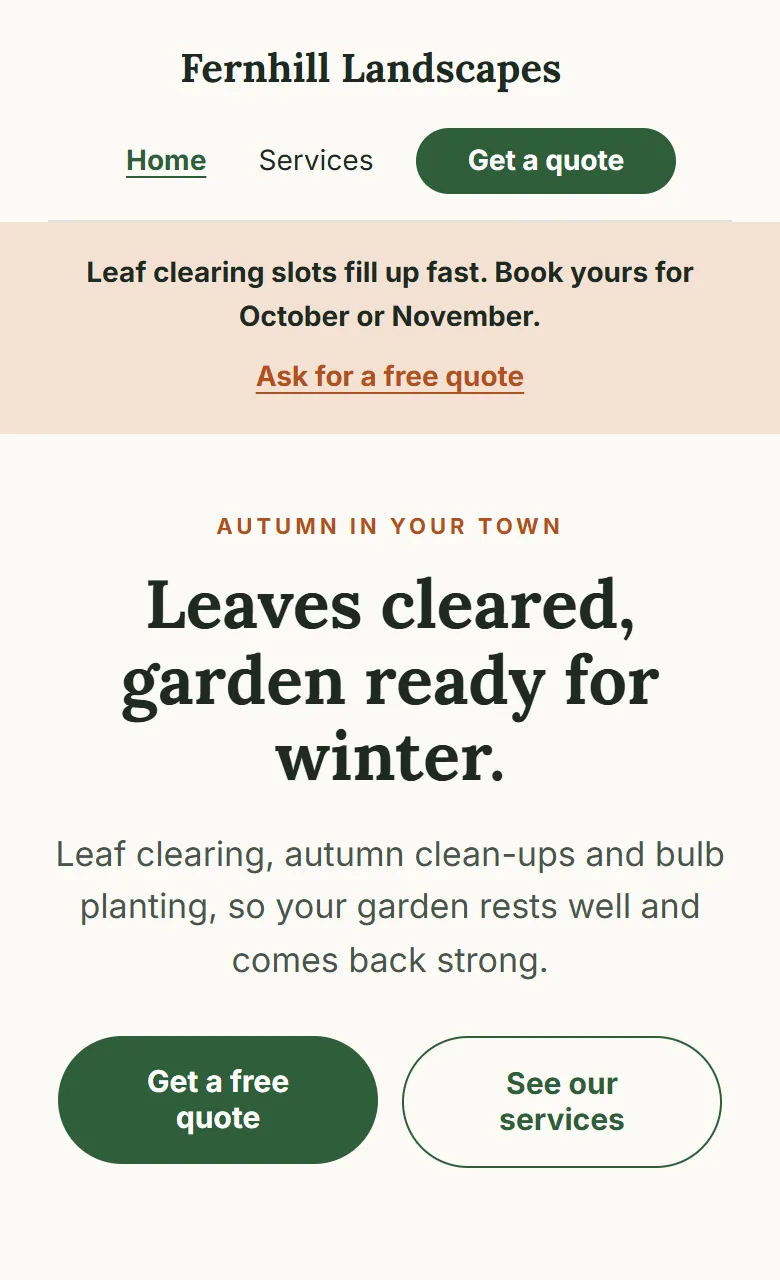
Autumn
From September 15
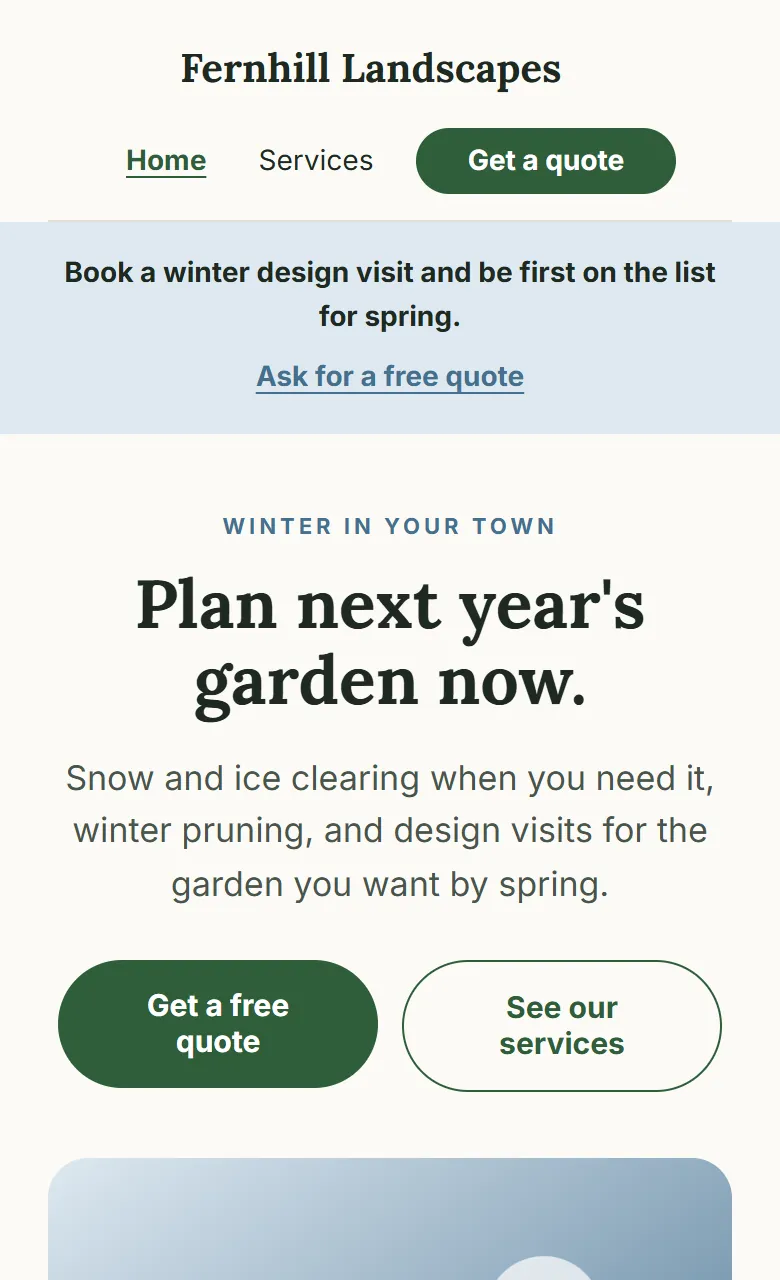
Winter
From December 1
What to put on each season’s home page.
A season’s home page does one job: tell the visitor what their garden needs now, and how to ask for it. Lead with three or four services, put one line at the top, and keep the quote button close.
| Season | Starts | Lead with | The line at the top |
|---|---|---|---|
| Spring | March 1 | Spring clean-ups, lawn repair and seeding, new beds, garden design | Spring clean-ups are booking now. |
| Summer | June 1 | Regular mowing, hedges and shrubs, watering systems, patios | Weekly mowing has a few places left. |
| Autumn | September 15 | Leaf clearing, autumn clean-ups, bulb planting, lawn aeration | Leaf clearing slots fill up fast. |
| Winter | December 1 | Snow and ice clearing, winter pruning, design visits, tree care | Book a winter design visit for spring. |
Agencies often suggest a separate page for each seasonal service, so each can be found in search. Do that too: your services page can list everything you do all year. The home page is the one most people see first, and that is the page that changes.
How the seasons work.
- 1
Start from Fernhill
A landscaper’s site with four seasons ready: a home page, services and a quote form for each. Or start blank and add your own seasons.
- 2
Give each season its day
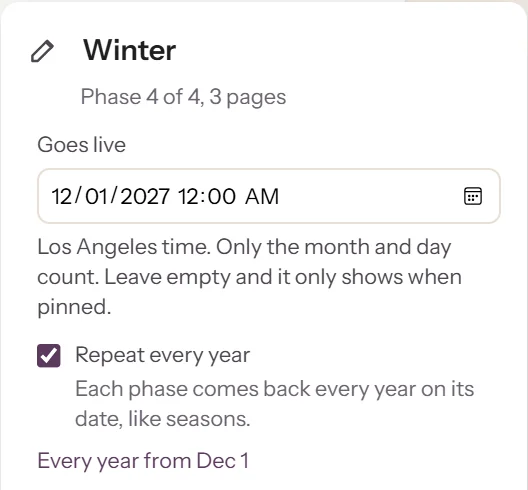
Spring from March 1, autumn from September 15: whatever suits your area. Tick Repeat every year, and only the month and day count.
- 3
Publish once
Every year the site moves to the next season on its own. Snow early? Switch to winter from your phone that morning.
What your customers get.
Every part works as soon as you add it, and looks like the rest of your design.
- Quote form
- Your own questions, with a dropdown of this season’s services first. Every request, from every season, lands in one list you can download.
- Your work
- Before-and-after photos, placed where you want them, on a phone layout you arrange yourself.
- Reviews
- Kept in one sheet and shown on every season’s home page. Change them once, and every season follows.
- Questions
- Answers that open and close, with one question that changes with the season.
- Live controls
- From your phone: switch the season early, post a notice (“No visits today: snow”), or close the quote form when you are fully booked.
Is Pragte right for your landscaping business?
A good fit
- Owner-run gardening and landscaping businesses, and small crews
- Work that changes through the year: clean-ups, mowing, leaves, snow
- A site you design yourself, that asks for quotes
Look elsewhere if you need
- Online booking with a calendar, deposits or payments
- Scheduling crews, routes and invoices
- Dozens of town-by-town pages written for you
Job management software and agency-built sites are made for those.
Free to build. $49.99 for a year on Google.
Build your site and share it for free, with no expiry date. When you want it found in search engines, without the Made with Pragte badge and with an email for every quote request, pay $49.99 once for 12 months. No monthly fee.
See pricingLandscaping websites, answered.
Can a landscaping website change with the seasons on its own?
Yes. In Pragte each season is its own version of the site, with its own home page, services and quote form. You give each one the date it starts, and the site switches on those dates. With Repeat every year on, it goes round the seasons again each year, without you changing a date.
What if a season comes early or late?
Switch it by hand. From your phone or the editor you can pin any season as live now, then let the dates take over again when you are ready.
Can customers ask for a quote?
Yes. The quote form takes your own questions, such as the service, the address and the size of the garden. Requests land in one list in your account that you can download as a spreadsheet. On a paid plan you also get an email for each one.
Will my site show up on Google?
Listing in search engines comes with a paid plan: $29.99 for 3 months or $49.99 for 12 months, paid once. A free site can be shared by link and QR code, but it is not listed in search engines.
Can I use my own domain?
Yes, with a paid plan, and it stays connected after the paid time ends.
Can I take bookings or payments online?
Not today. Pragte collects quote requests and messages; booking calendars, deposits and invoicing are better done in job management software built for that.
How much does it cost?
Building and sharing your site is free, with no expiry date, and carries a small Made with Pragte badge. $49.99 paid once gives you 12 months with no badge, listing in search engines and an email for every request. There is no monthly fee; pay again when you want another year.
See the Fernhill template live, how Pragte compares with Wix for a landscaping website, or read how Pragte works. Websites for other services: home services, bakery, agency.
Next season’s site, ready before it starts.
Pragte is in early access. Leave your email and tell us about your business, and we will help you set up your seasons.