An RSVP for any party
For a child’s party, ask for the parent’s name, the child’s name and any allergies. For a grown-up one, ask about plus-ones or a song. Every submission lands in one list you can download.
One link for the whole party. First the invitation, with an RSVP that asks what you need to know. On the day, the address, the timings and where to park. Afterwards, a thank-you and the photos guests shared. You design it yourself, and it’s free, with no expiry date.
Each phase is a version of the whole site, with its own pages, live from a date and time you set. Prepare all three before the birthday, or switch from one to the next by hand from your phone.
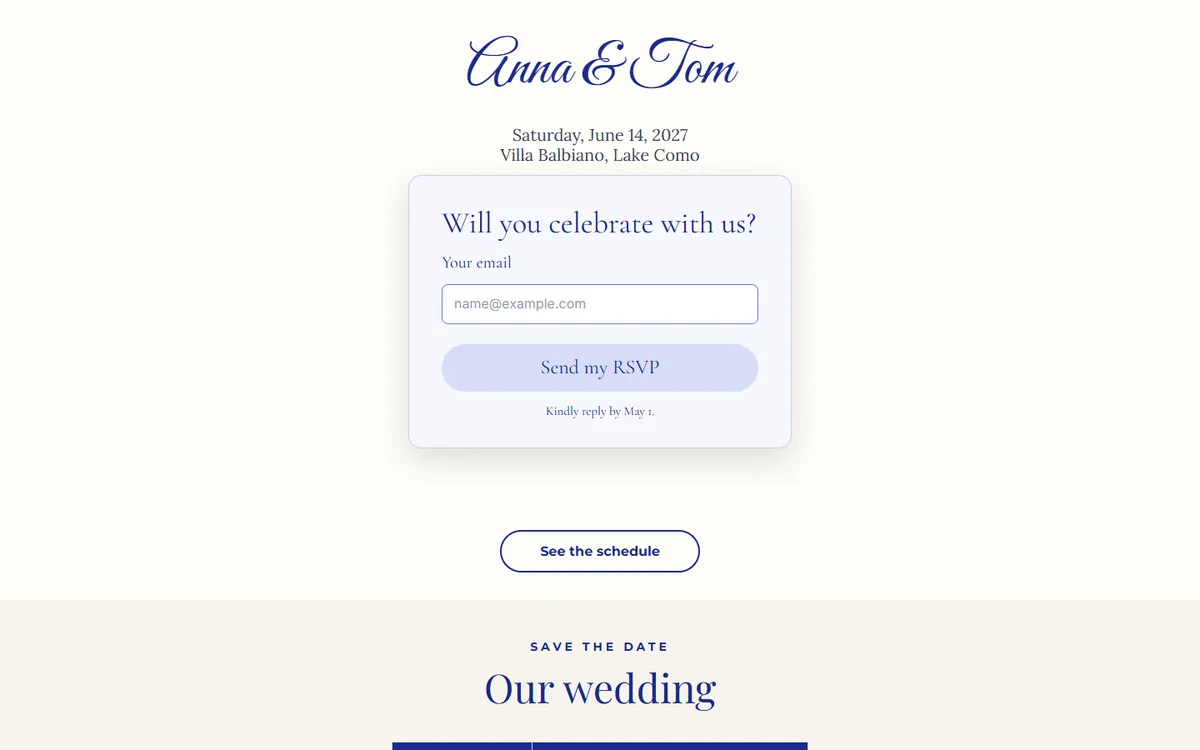
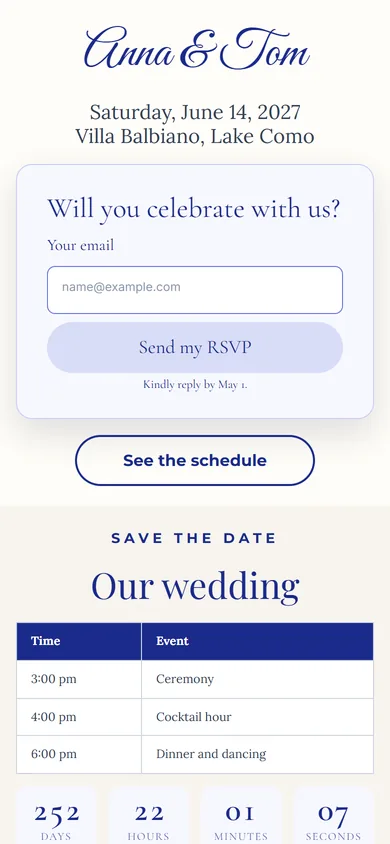
There is no birthday template yet. Invitation is a short site with the same three steps: an invitation with an RSVP, the schedule and guests’ photos, then a thank-you. Change the words and the phases’ names, and it’s a birthday.
Each part works as soon as you add it, and looks like the rest of your design. Building it is the same for every event: see every step, with screenshots.
For a child’s party, ask for the parent’s name, the child’s name and any allergies. For a grown-up one, ask about plus-ones or a song. Every submission lands in one list you can download.
Put a password on the site, so the birthday person can’t stumble on it. Free sites aren’t listed in search engines either.
A guestbook for notes, from the people at the party and the ones who couldn’t come. Show the ones you choose on the site.
Guests scan a QR code and send photos from their phone, with no app or account. You choose what shows on the photo wall.
A Google Map of the place, a button that opens directions, and the days and hours to the party, in your colours.
Post a notice to every guest (“Running 20 minutes late”), switch to the day’s pages early, or close the RSVP.
Building, publishing and sharing your birthday website is free, with no expiry date and a small Made with Pragte badge. Essential is $29.99 for 3 months and Keepsake $49.99 for 12 months, paid once: no badge, listing in search engines, an email for every submission, more room for visitors’ photos, and your own domain. Nothing renews.
See pricingStart from a blank page or the Invitation template, put in who, when and where, add an RSVP with the questions you need, and check how it looks on a phone. Then prepare the day’s page and a thank-you, give each its date, publish and share the link.
Yes. Building, publishing and sharing a birthday website is free, with no expiry date, public or with a password. A free account has one published site at a time.
Yes. Give the site a password and share it only with the guests. Free sites aren’t listed in search engines.
No. They open your link in their phone’s browser and answer on the page.
No. You send the link yourself, by message, email or a printed QR code, and guests answer on the site.
Yes. They scan a QR code and send photos from their phone, and you choose what shows. Photos only, not videos, and they can’t all be downloaded at once yet.
Websites for other events: wedding, conference, fundraiser, product launch, memorial. Or see event websites and how Pragte works.
Leave your email and the date of the party. We will tell you first what we add, and help you set it up.