What to do with your wedding website after the wedding
Don’t leave it exactly as it was. Within a day or two, swap the day’s pages for a thank-you, close the RSVP and any photo uploads, and take down the seating plan and anything else that was only for the day. Within a month, save the replies and messages you want to keep, and decide who should still be able to see the site. Within a year, check whether a domain you bought is about to renew.
Most advice on this question stops at “turn it into a thank-you page” or “keep it as a keepsake”. Both are good ideas. The steps in between are what stop a wedding website from becoming a public page of old timings and other people’s names.
The day after: turn it into a thank-you
Guests open the link again after the wedding, to see photos, to send a late gift, or to find a name they forgot. Give them something written for afterwards:
- a short thank-you, in your words, not the invitation’s
- photos, yours or the ones guests shared
- the guestbook, if you had one, still open for messages
And take away what belonged to the day: the timings, the “happening now” notes, the directions to the after-party.
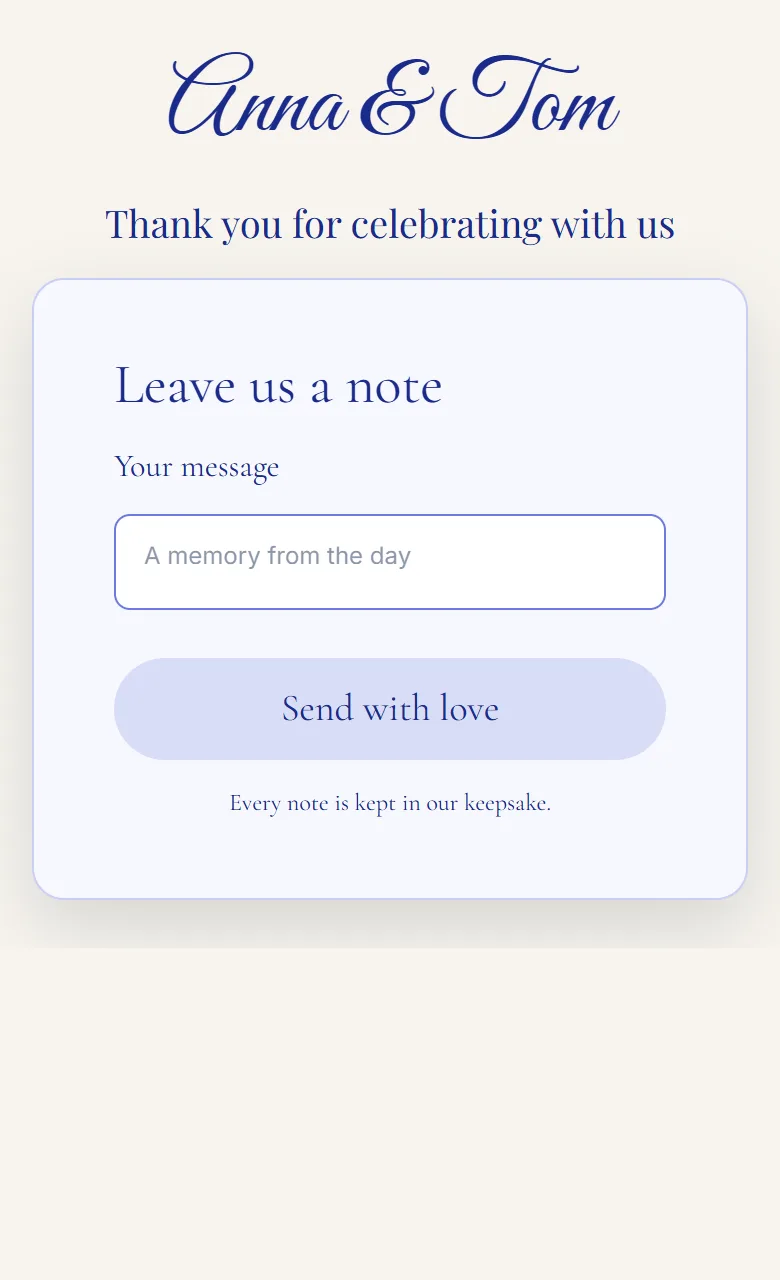
On Pragte this happens on its own. A site has phases, versions of the whole site that switch on the dates you choose, so you prepare the thank-you before the wedding, give it the date after, and it replaces the day’s pages that morning. You can also switch phases by hand from your phone. How phases work.
Close what should be closed
- The RSVP form. A reply that arrives after the wedding only muddles your list. Close it, or replace it with the thank-you.
- Photo uploads. Leave them open for a few days. Some guests share their photos only when they get home. Then close them, so the gallery stops changing.
- The guestbook. This one can stay open as long as you like, as long as you approve messages before they show.
On Pragte, each form and each photo upload can be opened or closed from the live controls on your phone, and guestbook messages show only once you approve them.
Take down what was only for the day
Go through the site page by page and ask whether each thing still needs to be public.
- The seating plan. Names next to table numbers did their job on the evening. If your site had a name search for tables, remove it now: most of them, Pragte’s included, keep the whole guest list in the page and only hide it on screen. There is more on that in how guests find their table online.
- Addresses. A home address on a registry or RSVP page was there for gifts. It does not need to stay.
- Travel and hotel details. Room block codes and a family’s travel plans can come down.
- Photos of other people’s children in a shared gallery. Check them before the gallery stays up for years.
Save what you will want later
- Your replies. Download the RSVP list as a spreadsheet. It is the record of who came, and if you asked for addresses, it is your thank-you card list. On Pragte, every form’s replies download as a CSV from Settings, Replies, or from the inbox in the live controls.
- Messages. Guestbook entries are replies too, so they come with the same download. Save them somewhere you will open again.
- Photos. Whatever tool collected your guests’ photos, check how long it keeps them, and save the ones you want before that date.
Decide who can still see it
This is the decision that matters most, and the one most couples never make on purpose.
| Choice | Suits you if | What stays |
|---|---|---|
| Keep it public | Family abroad still visits it, and nothing on it is private | Everything, for anyone with the link |
| Add a password | You want guests to keep coming back, but nobody else | Everything, for those you give the password to |
| Take it offline | You want it gone from the internet, but not deleted | Your design and replies, in your account |
| Delete it | You are sure | Nothing |
On Pragte any site can have a password, on any plan, from Settings, Who can see it. Convert to draft, in the Publish dialog, takes the site offline and keeps the design, the replies and the address, so publishing again brings it back exactly as it was.
If your site was listed in search engines, think about switching that off, so a search for your names no longer finds it. Pragte lists a site only while its owner has switched listing on and a paid plan runs, and never when it has a password.
Check what renews
- A domain you bought renews every year with whoever you registered it with, unless you cancel. If you printed it on your thank-you cards, keep it at least until they have all arrived. If you let it go, any link to it stops working.
- A paid website plan. Find out what happens when it ends. Some builders take the site down; some keep it up with less. Every Pragte site, free or paid, has no expiry date. A paid plan’s extras run for the months you bought, and then the site returns to the Free plan, still online and still yours to edit. What happens when they end.
A year later
Open it once more before deciding anything final. A wedding website that has been tidied (a thank-you, the photos, the messages, nothing private) is worth keeping. One that still shows the seating plan and the shuttle times is worth either finishing or taking offline.
If you have a wedding or another event coming up and want a site that changes on its own, from the invitation to the thank-you, try Pragte’s early access at pragte.app.